
FORGE, the free PLC simulator in your browser.
Write logic in four languages, run it one scan at a time, build operator screens and connect to real devices.
Write, run and debug in one window.
The editor, simulator, Inspector and HMI Studio are free, with no account and no time limit.
Four languages, 90 instructions
Ladder, function block diagram, sequential function chart and Structured Text routines, with instructions in twelve families.

Run it one scan at a time
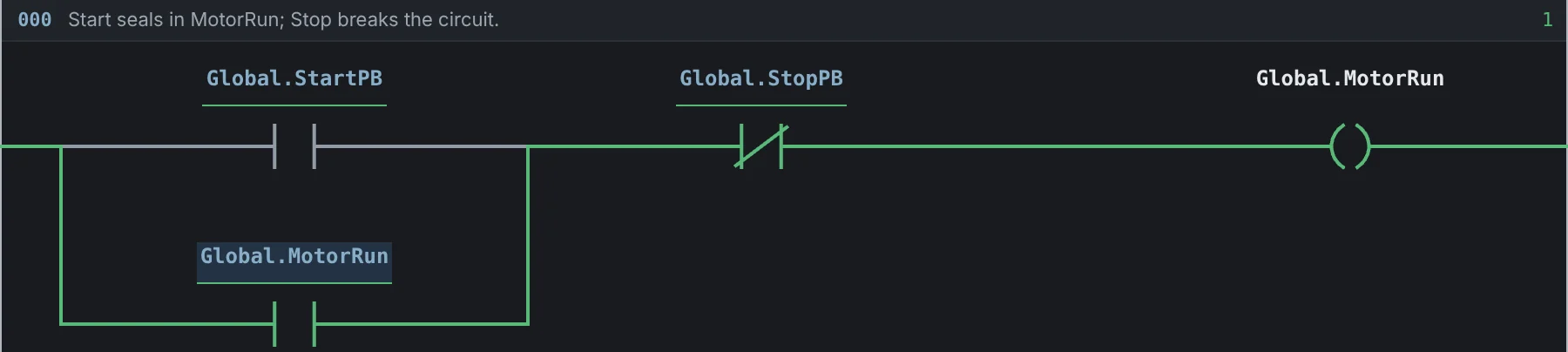
Run continuously at 1 to 500 ms per scan, or press Single Scan. Energized paths turn green, and Metrics shows the last, average and maximum scan time.
Every value, live
Each tag shows its live value. Click a bit to toggle it, force an input, find every reference and open Troubleshoot when a result surprises you.

Built for real projects.
Your own data types
Define your own structures and reusable logic classes, then call them from your rungs.
Keyboard first
Undo and redo, copy and paste, a command palette, and shortcuts to run, stop and step.
Documented logic
Comment every rung and describe every tag, with its type, scope and initial value.
Replay Pro
Record a run, then play it back scan by scan to see exactly when each value changed.
Practise on a working machine.
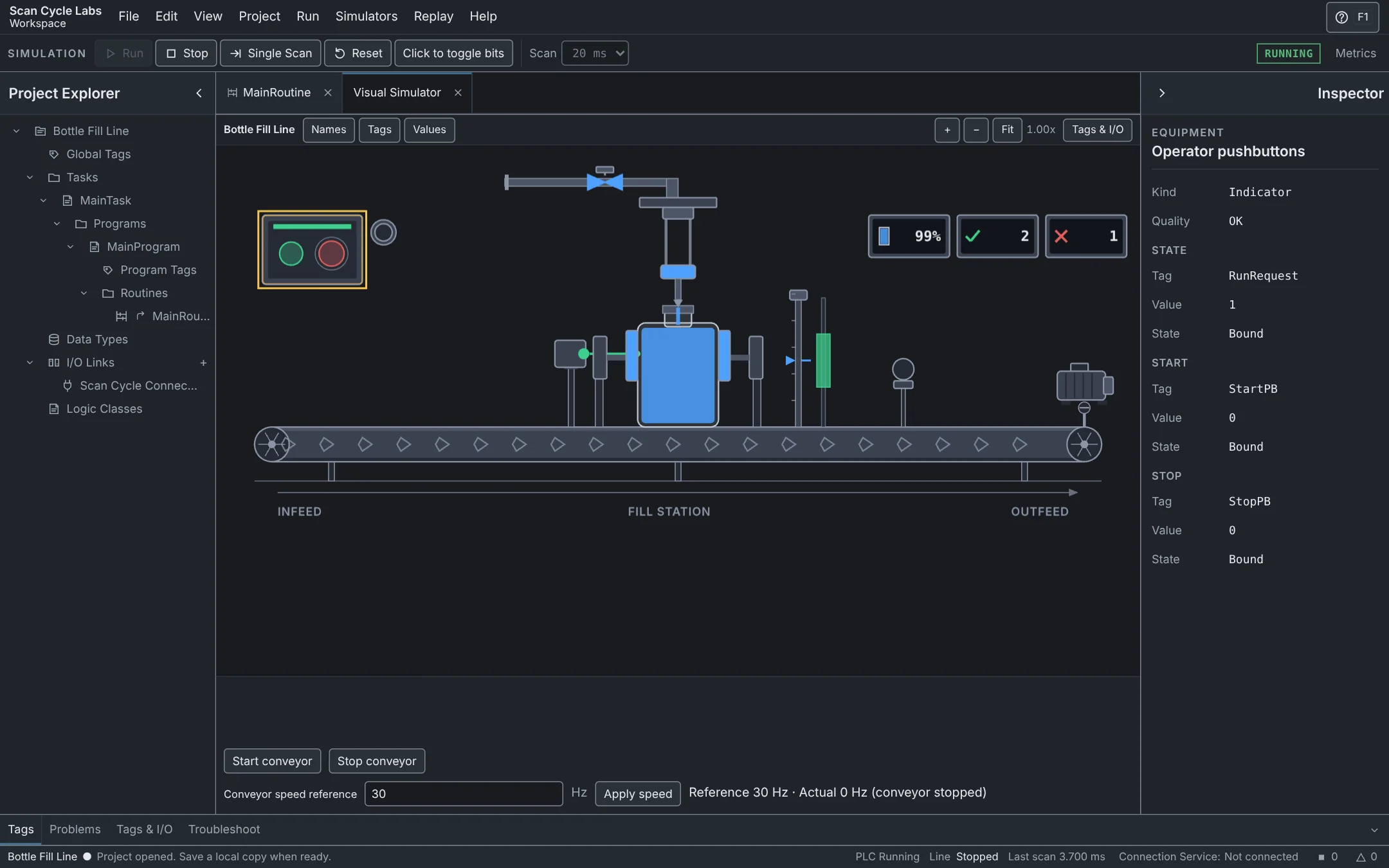
The Visual Simulator connects your tags to a moving scene, so you can see your program run equipment.
- Bottle Fill Line Free
- Seven more, including Tank Level PID, Divert and Reject Conveyor and AMR Cell Transfer Pro
Build the operator screen.
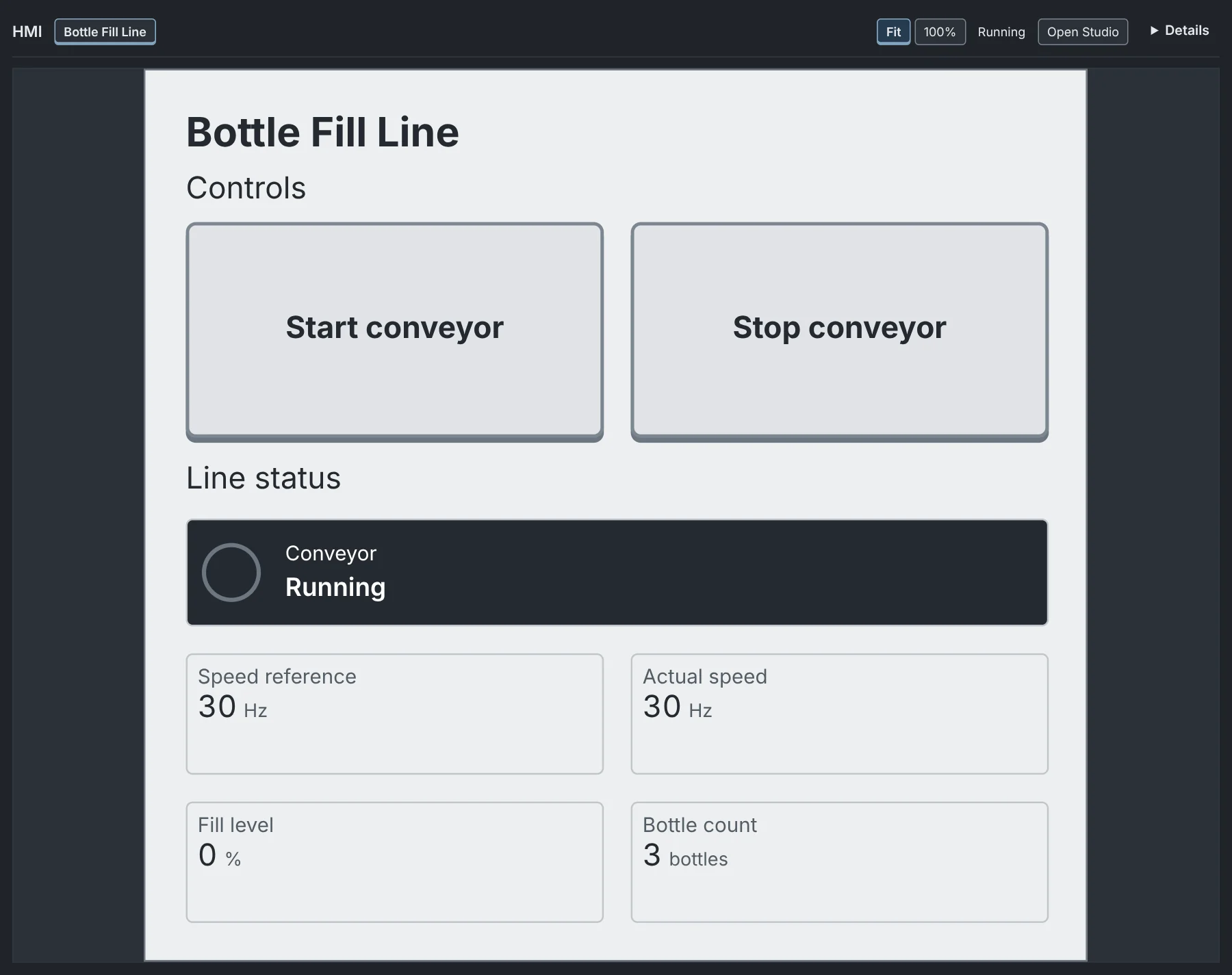
HMI Studio has 25 component types, from buttons, lamps and gauges to sliders and symbols. Connect each one to a tag.
- Run the screen in its own browser tab, with nothing else around it
- One screen per project Free
- Unlimited screens, trends, alarms, tab controls and faceplates Pro
Connect to industrial protocols.
A Link maps outside data to your tags. Up to four run at once in one project.
Modbus TCP Pro
Read and write coils and registers on the built-in practice device, or on a Modbus TCP device on your network.
OPC UA Pro
Browse and read an OPC UA server on your computer, with writes you approve. A practice server is built in.
MQTT Pro
Subscribe and publish on an MQTT broker you choose, and map each topic to a tag.
Web API Pro
Import an API description, call HTTPS APIs from your logic and map the replies to tags. Practise with a built-in offline inventory.
WebSocket Pro
Send and receive JSON messages with a server, and map each field to a tag.
SQL databases Pro
Run named read and write operations on a PostgreSQL database, each one approved on your computer.
MicroControllers Pro
Drive LEDs and read buttons and sensors on the Arduino Uno R3, Arduino UNO R4 WiFi, Arduino Mega 2560, Raspberry Pi Pico (RP2040) and ESP32 DevKit, over USB from the browser or the Connection Service.
Run your logic on a MicroController.
Plug a MicroController in over USB, wire buttons, LEDs and potentiometers, and drive them from your logic.
- Five MicroControllersProArduino Uno R3, Arduino UNO R4 WiFi, Arduino Mega 2560, Raspberry Pi Pico (RP2040) and ESP32 DevKit. Install the FORGE firmware from the list, then connect.
- A visual pin mapperMap each button, LED and potentiometer to a tag.
- Safe by designMade for low-voltage training circuits. Outputs go to a safe state if the link drops.
- The Connection ServiceProA small Windows app for network devices and databases. MicroControllers can also connect straight from Chrome or Edge.
Your project goes with you.
Project files
Save your logic, tags and HMI screens to a file, then open it again anywhere. No account needed.
Saved to your account
Keep up to 3 projects in your account on Free, or up to 200 with Pro.
Simulations at once
Run one simulation at a time on Free, or three at once with Pro.
Try your logic in FORGE.
Start with a blank project or a free lesson.